


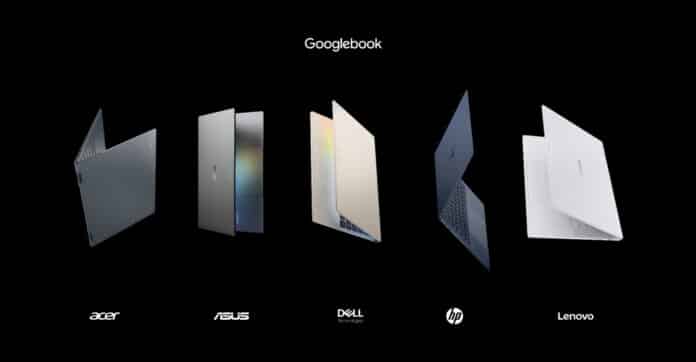

Googlebook is Google’s answer to a question nobody quite knew how to ask: what happens when a phone operating system grows up and starts wearing a keyboard. The company’s new laptop line, built on a customized version of Android with ChromeOS underpinnings, is now up for preorder, and it lands on shelves October 4 in the US and October 5 across Canada, the UK, Ireland, France, Germany, and Australia.
Here is what shoppers should know before clicking buy.
The lineup and pricing
Five laptops make up the initial wave, built by Acer, ASUS, Dell, HP, and Lenovo. Pricing starts at $899 for the Acer Googlebook 14 and climbs to $1,299 for higher end configurations from ASUS, HP, and Lenovo. The Acer Googlebook 14 comes with a 14 inch 2.8K OLED display, an Intel Core Ultra 5 or 7 chip, and 16GB of RAM. Dell’s XPS Googlebook starts lower at $1,199 with a 13.4 inch 2.5K display and a Snapdragon X Elite chip configurable up to 32GB of RAM. HP’s Googlebook 14 pairs its 14 inch OLED panel with a Snapdragon X Elite chip, while Lenovo’s Googlebook 15 steps up to a 15.3 inch OLED display running on an Intel Core Ultra 5.
Buyers should treat that $899 starting price the way they would any “starting at” figure. It buys the base Acer model. Stepping up to a different brand, more RAM, or more storage pushes the price toward $1,299 quickly, so it is worth comparing configurations rather than anchoring on the cheapest number in Google’s marketing.
What actually makes it different from a Chromebook
This is the part that will confuse people at the store shelf, and reasonably so. The software running on these machines is based on Android but functions as its own distinct platform. Instead of keeping Android apps walled off the way traditional Chromebooks do, Googlebook OS blends Android and ChromeOS into a single system, and Google Play apps are built to work properly with a keyboard, mouse, trackpad, and resizable windows.
Importantly, this is not a ChromeOS funeral. Google says it will keep supporting existing Chromebooks through their promised update windows and plans to release more Chromebooks in the coming year. Anyone with a Chromebook they like does not need to feel pressured into an upgrade. Googlebook is a new, more premium tier sitting alongside that lineup, not a replacement for it.
Hardware that justifies the price bump
Every model ships with premium materials such as aluminum, magnesium alloy, and carbon fiber, touchscreens with resolutions up to 2.8K OLED, haptic glass trackpads, and backlit keyboards. On the inside, chips from Intel and Qualcomm pair with dedicated NPUs rated above 45 TOPS for on device AI tasks, and Google promises up to 14 hours of battery life. Every unit also includes at least 16GB of RAM as a baseline, with configurations available up to 32GB and storage starting around 256GB or 512GB depending on the model.
There is a nostalgia play buried in the design too. The Glowbar, a lighting strip on the laptop’s exterior, returns to show startup, battery level, and animated reactions when talking to Gemini, a callback to Google’s earlier Pixelbook era.
Security under the hood
For anyone worried about handing more of their digital life to an AI powered laptop, Google is leaning on its ChromeOS security pedigree. The machines use a Titan hardware root of trust, layered defense in depth protections, and on device malware detection. New to the category is a Level 5 security certified pKVM hypervisor, which runs an isolated Linux environment with full terminal access, letting developers run Linux tools, pull repositories, or run autonomous coding agents without exposing the rest of the system.
Where the phone and laptop actually talk to each other
This is arguably the real pitch of Googlebook, more than the hardware. Setup pulls over an Android phone’s settings, saved passwords, Wi-Fi networks, and messages, encrypted end to end. From there, a few features aim to erase the gap between phone and laptop.
Continue On lets someone pick up a task mid stream, moving from a phone app straight to the same spot on the laptop. Files gives direct access to a phone’s files and photos without emailing attachments to oneself. Cast My Apps streams and controls phone apps, like a delivery app or a two factor code sitting in Messages, inside a desktop window.
The AI layer
Gemini Intelligence sits underneath most of the experience. Magic Pointer surfaces Gemini contextually around whatever is on screen when the cursor is wiggled, useful for something like cleaning up a calendar or translating text without opening new windows, and it can be switched off entirely. Rambler, a dedicated key next to Quick Insert, turns spoken notes into structured, formatted text with headers and checklists, including across multiple languages. Create My Widget builds custom desktop widgets from a plain language description.
App and software ecosystem
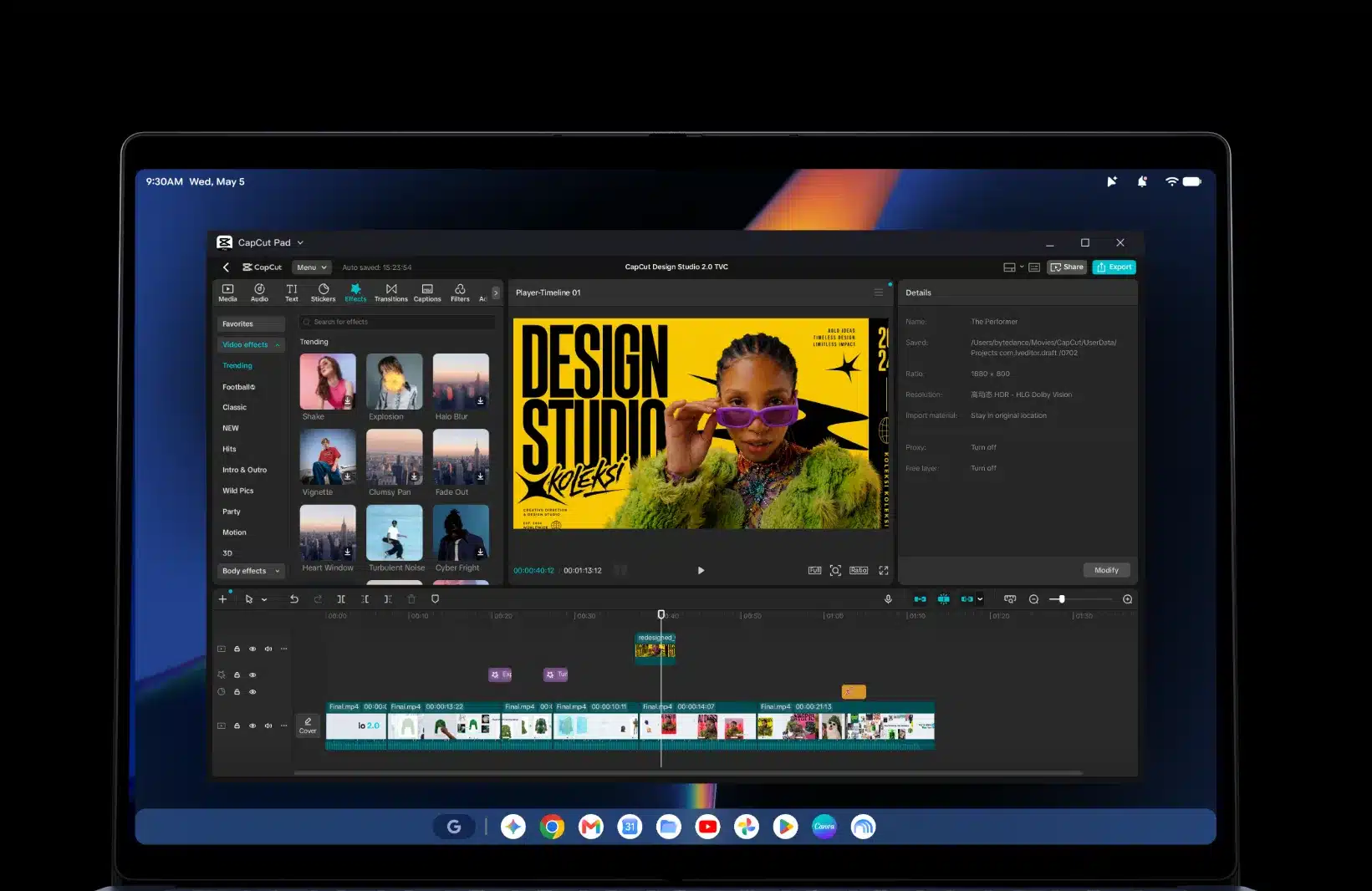
Buyers get the full desktop Chrome browser with extensions, plus access to millions of Android apps, many optimized for larger screens with mouse and keyboard support. Creative software like Adobe Photoshop, Adobe Lightroom, and CapCut runs natively, streaming apps including Netflix and HBO Max support offline viewing, and a complimentary year of GeForce NOW is included for cloud gaming alongside thousands of native Android games. Developers get Antigravity, Google’s AI agent development platform, plus a full terminal for tools like Claude Code.
What is bundled with the purchase
Every Googlebook includes 12 months of Google AI Pro, which brings 5TB of cloud storage and higher Gemini usage limits, along with three months each of YouTube Premium and Adobe Photoshop. Google is also promising up to 10 years of software updates.
Should someone buy one
Anyone deeply embedded in the Android ecosystem, who wants tighter phone to laptop continuity than what a standard Chromebook or Windows machine offers, is the clear target buyer. Developers who want a real Linux environment plus agentic coding tools also have a reason to look closely, given the isolated hypervisor setup. Buyers should compare configurations carefully across the five manufacturers before ordering, since RAM, storage, and starting prices vary meaningfully between them, and should weigh whether an unproven new operating system is worth the leap over a mature Chromebook or an established Windows or macOS laptop. Preorders are open now through the Google Store, Best Buy, and select retailers, with devices arriving October 4 in the US.