

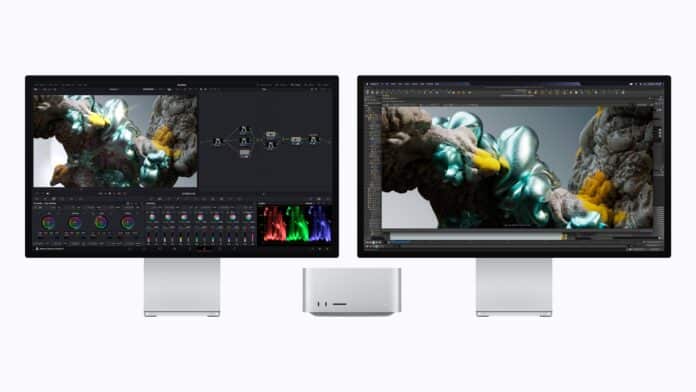

Apple’s latest Mac Studio refresh lands as one of the more substantial internal updates the machine has seen since it first launched, and the more time you spend with the announcement, the clearer it becomes that this is really an AI focused pitch wrapped in familiar industrial design. The compact cube shape that professionals have grown used to hasn’t changed, but almost everything running inside it has, and Apple is positioning this generation squarely around the idea of doing serious AI work locally rather than in the cloud.
Two Chips, Two Very Different Audiences
The decision to keep offering both M5 Max and M5 Ultra configurations is worth dwelling on, because the two chips are really aimed at different kinds of buyers. The M5 Max version is the more accessible of the pair, built for people who need serious power but don’t necessarily need the absolute ceiling of what Apple silicon can do. Musicians running large sample libraries, photographers batch processing thousands of RAW files, software engineers compiling large codebases, and designers working in real time 3D all fall into this category. The 18 core CPU, split into 6 super cores and 12 performance cores, is tuned for exactly this kind of mixed workload, handling background tasks and heavy computation without one starving the other.
The M5 Ultra, on the other hand, is built for people who have already maxed out everything else on the market. This is Apple’s chip for VFX studios rendering complex simulations, data scientists training models on massive datasets, and film colorists working in uncompressed 8K. The jump from a 36 core CPU to an 80 core GPU represents the largest Apple silicon GPU configuration the company has ever produced, and for the first time, that Ultra tier GPU includes Neural Accelerators in every core, something previously reserved for the Max chips. That detail matters because it means the Ultra chip isn’t just bigger, it is now proportionally better at AI specific math than previous Ultra chips were, not just at raw graphics or compute throughput.
Memory as the New Bottleneck Breaker
One of the more interesting angles Apple is pushing is the idea that unified memory, not raw processing power, has become the real limiting factor for running large AI models locally. With up to 512GB of unified memory available on the M5 Ultra configuration and 1.2TB per second of memory bandwidth, a 50 percent increase over the previous generation, Mac Studio can now hold enormous language models entirely in memory at once. That’s a meaningful shift for anyone who has previously had to either quantize a model down to fit available memory, split it across multiple GPUs, or simply rent time on cloud infrastructure. With this much unified memory on a single machine, none of those workarounds are necessary anymore for a wide range of models.
Apple is also making a considerable point about privacy and cost here. Running inference locally means sensitive data, whether it’s proprietary code, unreleased creative work, or confidential business documents, never has to leave the machine. It also means no per token API charges and no unpredictable cloud bills scaling with usage, which is a pitch clearly aimed at studios and independent developers who have felt the sting of scaling AI costs over the past few years.
Clustering Multiple Machines Together
Perhaps the most ambitious new feature is the ability to cluster multiple Mac Studio units together. Using Thunderbolt 5 alongside RDMA, or remote direct memory access, several Mac Studio systems can be linked to create a shared, pooled memory space across machines. In practice, that means a team could combine four Mac Studios to load and run frontier scale open weight models that would be far too large to fit into any single machine’s memory, regardless of how much unified memory that individual machine has. Apple says a four unit cluster delivers up to 3 times faster AI inference than a lone Mac Studio, positioning this as a genuine alternative to renting rack mounted GPU servers for small teams, research labs, and studios that want to keep their infrastructure in house.
A More Complete AI Development Stack
On the software side, Apple introduced Core AI, a new framework built specifically for developing, running, and deploying AI models on Apple silicon. Core AI is designed to take full advantage of the unified memory architecture, letting developers tap into CPU, GPU, and Neural Engine resources together rather than treating them as separate systems the way traditional discrete GPU setups often require. Developers can use it to deploy full scale large language models locally within their own apps, and to integrate custom trained models directly into software they are building.
This sits alongside MLX, Apple’s existing open source machine learning framework, which is specifically optimized for Apple silicon and lets developers train, fine tune, and run models efficiently on Mac hardware. Combined with Xcode and the broader ecosystem of AI tooling already available for macOS, Apple is framing Mac Studio as a genuinely complete, end to end platform, covering everything from early experimentation and training through to final deployment, all without needing to hand work off to cloud infrastructure at any stage.
Benchmarks Across Creative and Scientific Workloads
Apple backed up its claims with a fairly wide spread of real world software benchmarks rather than just synthetic numbers. On the M5 Max, LLM prompt processing inside LM Studio is said to be up to 10.7 times faster than on the original M1 Max, and 3.9 times faster than last year’s M4 Max. Text to image generation workloads see up to a 7.4 times improvement over the M1 Max generation. Video professionals using Blackmagic Design’s DaVinci Resolve Studio should see Magic Mask performance improve by up to 5.3 times compared to the M1 Max. Apple even cited a benchmark from genomics research, noting that basecalling for DNA sequencing in Oxford Nanopore’s MinKNOW software runs up to 3.5 times faster than on the M1 Max, a reminder that Mac Studio’s audience extends well beyond traditional creative fields into scientific computing.
The M5 Ultra benchmarks are even more dramatic, as you’d expect from the flagship chip. CopyCat machine learning training inside Foundry’s Nuke compositing software is up to 15.4 times faster than on the M1 Ultra, and still up to 3.3 times faster than the M3 Ultra from last generation. LLM prompt processing in LM Studio improves by up to 9.8 times over the M1 Ultra, while text to image generation is up to 8.2 times faster. For 3D artists, scene rendering inside Maxon’s Redshift renderer is up to 4.7 times quicker than on the M1 Ultra.
Graphics, Ray Tracing, and Video Engine Upgrades
Beyond raw compute, Apple also upgraded the graphics pipeline itself. The new Mac Studio includes third generation hardware accelerated ray tracing, which Apple says produces noticeably more realistic lighting, reflections, and shadows across 3D rendering, visual effects, and design software. Enhanced shader cores are meant to improve parallel processing, which should translate into smoother real time viewport navigation while working and faster final renders once a project is ready to export.
The Media Engine also received attention, particularly on the M5 Ultra, which now includes twice the video encode and decode blocks found in the M5 Max. Apple says this allows the M5 Ultra configuration to simultaneously play back up to 33 streams of 8K ProRes 422 footage at 30 frames per second, a genuinely enormous number aimed squarely at high end film and broadcast workflows. Hardware accelerated support continues for H.264, HEVC, ProRes, and AV1 decode, letting colorists work with uncompressed 8K footage and handle multiple simultaneous video streams without the system struggling to keep up.
Faster Storage and Expanded Connectivity
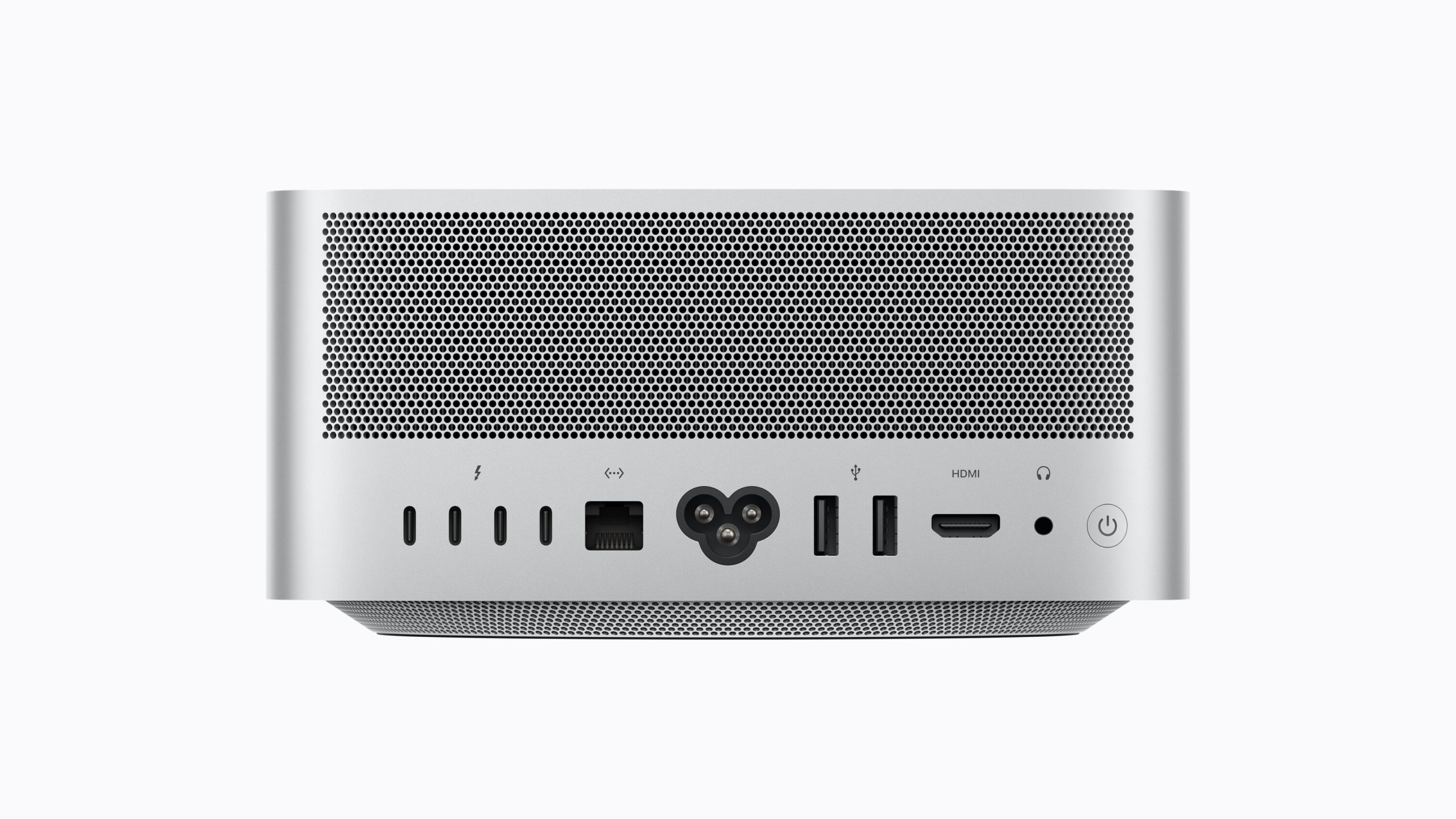
Storage speed effectively doubled in this generation thanks to a next generation SSD architecture, which should noticeably cut down on time spent loading large projects, transferring big files, and pulling large AI models into memory. Connectivity also took a meaningful step forward with the arrival of Thunderbolt 5 across the board, offering up to 120Gb per second of bandwidth for external storage, high performance displays, and PCIe expansion chassis.
Apple’s own N1 chip brings Wi-Fi 7 and Bluetooth 6 to Mac Studio for the very first time, which should mean faster, more reliable wireless connections for peripherals and networking alike. There’s also a new addition aimed squarely at video professionals working with camera equipment, genlock support over USB-C, allowing precise synchronization between a connected display and professional camera hardware, including devices like the iPhone 17 Pro. On the display side, Mac Studio can now drive up to eight monitors simultaneously, or alternatively up to four Studio Display XDR units running at full 5K resolution and 120Hz refresh rate, giving professionals working across multiple screens plenty of room to build out elaborate multi monitor setups.
macOS 27 and the Arrival of Siri AI
The hardware upgrades arrive alongside macOS 27, internally referred to as Golden Gate, and the standout addition is Siri AI, described as a considerably more capable and more personal version of Apple’s assistant. Siri AI can draw on personal context pulled from a user’s messages, emails, and photos to help locate information quickly, answer general knowledge questions, and complete tasks across different apps rather than being limited to a single one. It’s woven directly into Spotlight search and appears in system wide context menus, and there’s a dedicated keyboard shortcut for Visual Intelligence, letting users ask questions about whatever happens to be showing on their display at that moment. Apple also says professionals will be able to use Siri to help write and edit text in almost any app where they can type, extending its usefulness well beyond simple voice commands.
Apple Intelligence features extend further across the rest of the operating system too. Safari gets new tools for tailoring and organizing browsing sessions, Shortcuts now lets users build automations simply by describing what they want in plain language rather than manually assembling workflow steps, and the Photos app gains more advanced editing tools. Existing features that professionals already rely on also received performance and search improvements. Visually, Apple refined its Liquid Glass interface language further, improving text readability and introducing more uniform toolbars, edge to edge sidebars, and updated window shapes and menu bar icons, giving users more room to personalize how the system looks and feels.
Sustainability Details
Apple also used the announcement to highlight its ongoing environmental commitments. The new Mac Studio is built using 35 percent recycled content overall, including a fully recycled aluminum enclosure and completely recycled rare earth elements in every magnet used inside the machine. Manufacturing draws on 40 percent renewable energy, including wind and solar sources, across Apple’s supply chain, and the machine continues to meet the company’s existing standards for energy efficiency and safe chemistry. Packaging remains entirely fiber based and can be recycled easily at home, part of Apple’s broader push toward becoming fully carbon neutral across its entire footprint by 2030.
Pre orders for the new Mac Studio are open now, with the machine set to begin shipping to customers on September 22.
