

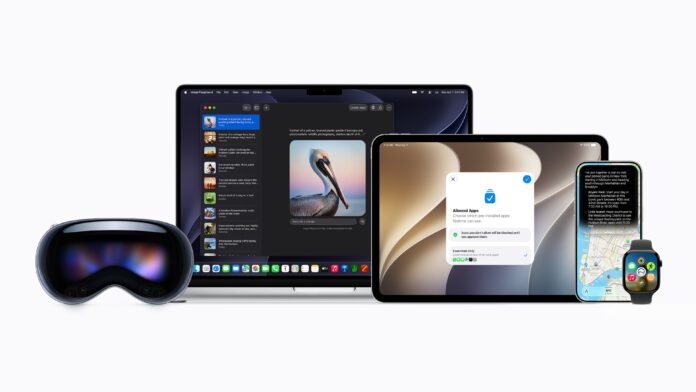

Apple used its annual developer conference to lay out its vision for the next year of software across the iPhone, iPad, Mac, Apple Watch, Vision Pro, and Apple TV, and the headline news is a complete overhaul of Siri. The company is calling it Siri AI, and it represents the company’s attempt to finally catch up in the AI assistant race after a rocky few years of delays and quietly shelved promises.
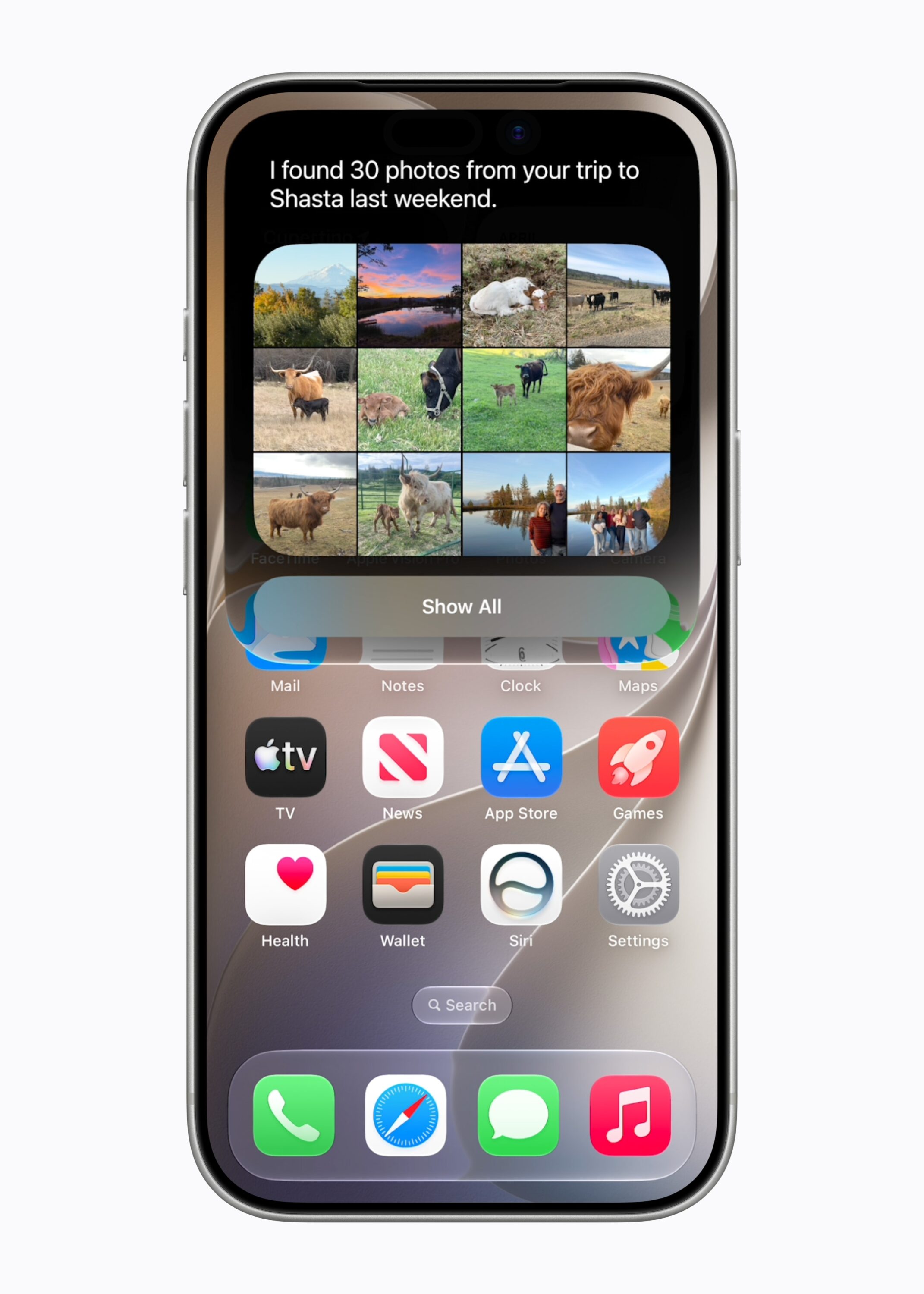
According to Apple, Siri AI is built on what the company describes as a new architecture designed around privacy, and it’s meant to be deeply woven into the operating system rather than feeling like a bolted on chatbot. The pitch is that Siri AI can understand personal context, meaning it can search through a user’s messages, emails, and photos to answer questions, and it can take action across apps system wide. So instead of just setting a timer or reading a text aloud, the idea is that Siri AI could, say, pull up a boarding pass buried in an email thread, or summarize a group chat and then draft a reply. Apple also says the assistant can reason about whatever is currently on screen, and when it doesn’t know something, it can reach out to the web for up to date information and synthesize an answer.
Apple is also giving Siri its own dedicated app, which is a notable shift in how the company wants people to think about the assistant. Rather than treating Siri as a one off voice command that disappears once it’s done, the new app lets users return to previous conversations or start fresh ones, all synced privately across devices through iCloud. It’s a structure that looks more like the chat based interfaces people have grown used to from other AI products, and it suggests Apple is positioning Siri AI less as a utility and more as an ongoing assistant relationship.
Beyond Siri itself, Apple says the next generation of Apple Intelligence will show up throughout the system, with new capabilities in Photos for editing images, in Safari for managing and browsing across tabs, in Image Playground for generating creative content, and in Messages and Mail for communication. Apple frames all of this as Apple Intelligence quietly making everyday apps smarter rather than introducing a separate AI product people have to seek out.
The naming convention is changing too, with this year’s releases jumping to version 27 across the board, covering iOS, iPadOS, macOS, watchOS, visionOS, and tvOS. Apple’s software chief Craig Federighi framed the update as a major step forward not just for AI features but for performance and design as well, alongside what the company is calling its most significant expansion yet of tools for families.
On that front, Apple is rolling out a fairly substantial set of parental controls and changes to Screen Time. The centerpiece is an emphasis on setting up dedicated child accounts, which Apple says immediately apply age appropriate restrictions across the system, from limiting access to adult websites to restricting app downloads based on age ratings. Parents get a Setup Assistant that lets them choose which apps a child can use from the start, with the ability to add more apps gradually over time.
A new feature called Ask to Browse extends the existing Ask to Buy concept, which already lets parents approve app downloads and purchases, into the web browser itself. With it turned on, a child would need parental approval before visiting a new website in Safari, and Apple says this works consistently across iPhone, iPad, and Mac.
Apple is also expanding its existing communication safety tools. The system already blurs nudity automatically in Messages and FaceTime for users under 18, and Apple says it will now also detect and intervene when gory or violent images or videos are shared. Parents will additionally be able to require approval before their child can add a new contact to talk to over Messages, FaceTime, or Phone.
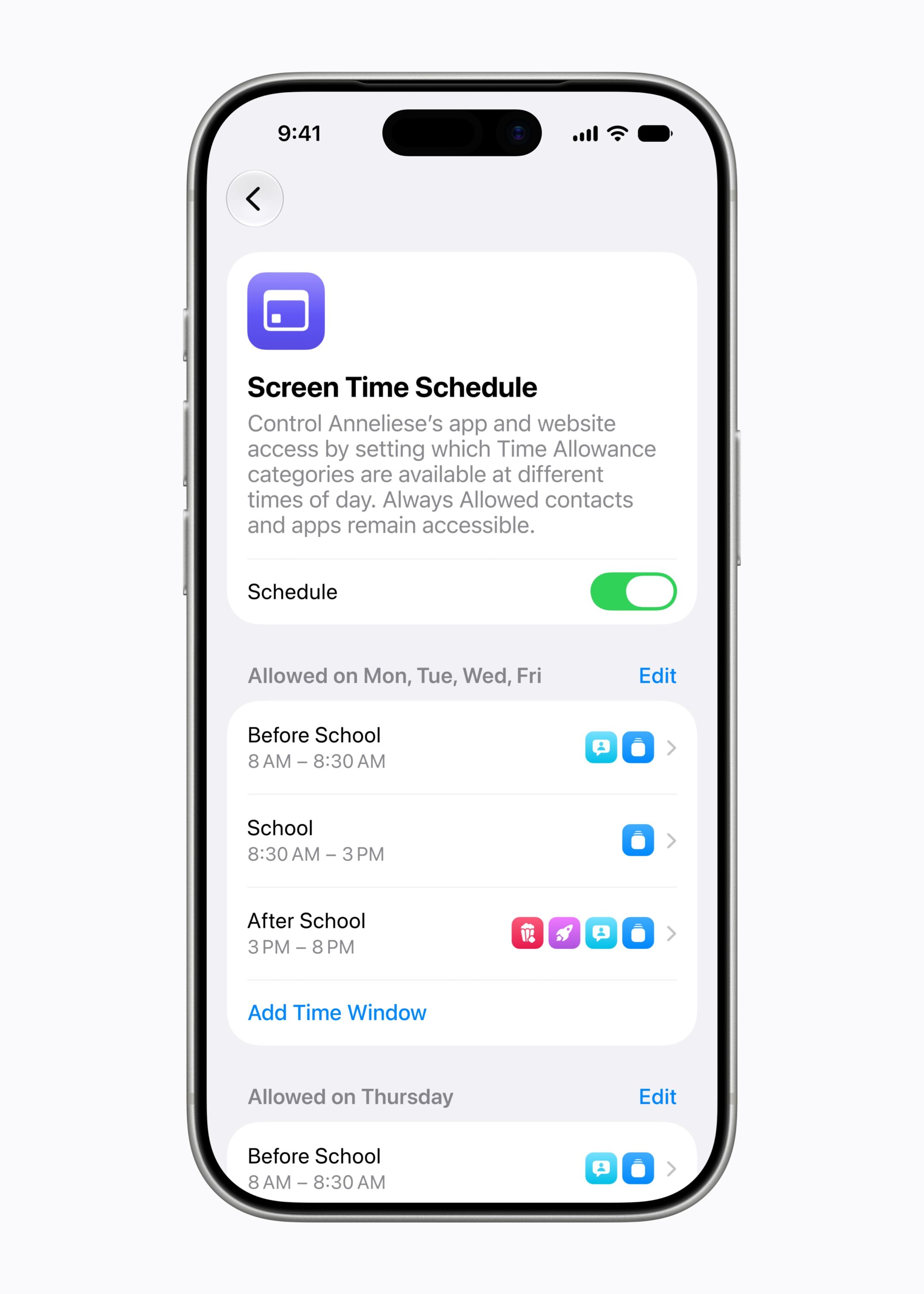
For managing how much time kids spend on their devices, Apple introduced what it’s calling Time Allowances, which let parents cap how long a child can spend in certain categories of apps each day, such as entertainment, games, and social media. Apple says these limits come with suggested starting points based on research from child development experts, though parents remain free to adjust them. Alongside that, a Schedules feature lets parents block access to certain apps during specific times of day, like school hours.
Screen Time itself is getting a redesign aimed at giving parents a quicker overview of how their kids are actually using their devices, including average usage and most used apps, with the ability to make in the moment adjustments, like temporarily blocking access during dinner or extending time if a kid needs a few more minutes to finish something.
Apple says it’s continuing to work with outside experts on these features, including partnering with the American Academy of Pediatrics to help adapt its Family Media Plan guidance for use within Apple’s ecosystem. The company is also launching a new website specifically for parents, meant to serve as a hub for explaining these tools and walking through setup. Existing safety features will also get a boost, including expanding user reporting tools that let people flag harmful content directly to Apple to more countries, and continuing Screen Time passcode notifications that alert parents if someone enters their Screen Time passcode on a child’s device.
For developers, Apple is offering frameworks like SensitiveContentAnalysis and PermissionKit to help apps detect inappropriate content and manage contact permissions for younger users, along with a Declared Age Range API that lets apps request a general age bracket for a user without needing their actual birthdate, which Apple is positioning as a privacy friendly way for third party apps to tailor experiences for kids.
On the performance and design side, Apple is promising a long list of under the hood improvements. The company claims apps on iPhone and iPad will launch up to 30 percent faster, photos will load up to 70 percent faster right after they’re taken, and AirDrop transfers will be up to 80 percent quicker. Switching between Wi-Fi and cellular is supposed to be smoother, and file transfers between external drives and iPad are said to be up to five times faster, which Apple claims brings that experience in line with using Finder on a Mac. Search across Spotlight, Photos, and Mail has reportedly been rebuilt for more reliable results, and Mail is getting a new ranking system meant to surface more relevant messages in its Top Hits section.
Visually, Apple is giving users more control over the Liquid Glass design language it introduced previously, adding a slider in Settings that lets people adjust how transparent or tinted the interface looks, along with sharper app icons. On the Mac specifically, Apple appears to be leaning back into some classic macOS design elements, including a more consistent toolbar across apps, sidebars that extend edge to edge, and colored sidebar icons, changes that read as a nod to longtime Mac users who have wanted some of that visual language back.
A handful of smaller features are also coming this fall. iCloud Shared Albums will support cross platform photo sharing at full resolution. The Health app is adding support for tracking perimenopause and menopause within Cycle Tracking, including alerts about changes in cycle patterns. Apple Watch is getting a redesigned app grid that surfaces five Siri suggested apps, a new tap gesture for opening widgets from the Smart Stack, and a unified Find My app that combines the previously separate tools for finding devices, items, and people. AirPods users will be able to use custom EQ settings, and those with AirPods Pro 3 will be able to sync heart rate data through their iPhone as part of an expanded GymKit integration. Vision Pro is gaining the ability to turn panoramic photos into spatial environments, along with Wi-Fi connections that Apple says are up to three times faster. And Apple Maps is adding an upgraded Flyover feature that combines aerial imagery with AI processing for more detailed views of locations.
All of these features are expected to arrive with the public releases of iOS 27 and its counterparts this fall, though as always with Apple’s WWDC previews, some capabilities, particularly the more ambitious Siri AI features, may roll out gradually or face the kind of delays that have plagued Apple’s AI ambitions in recent years.
