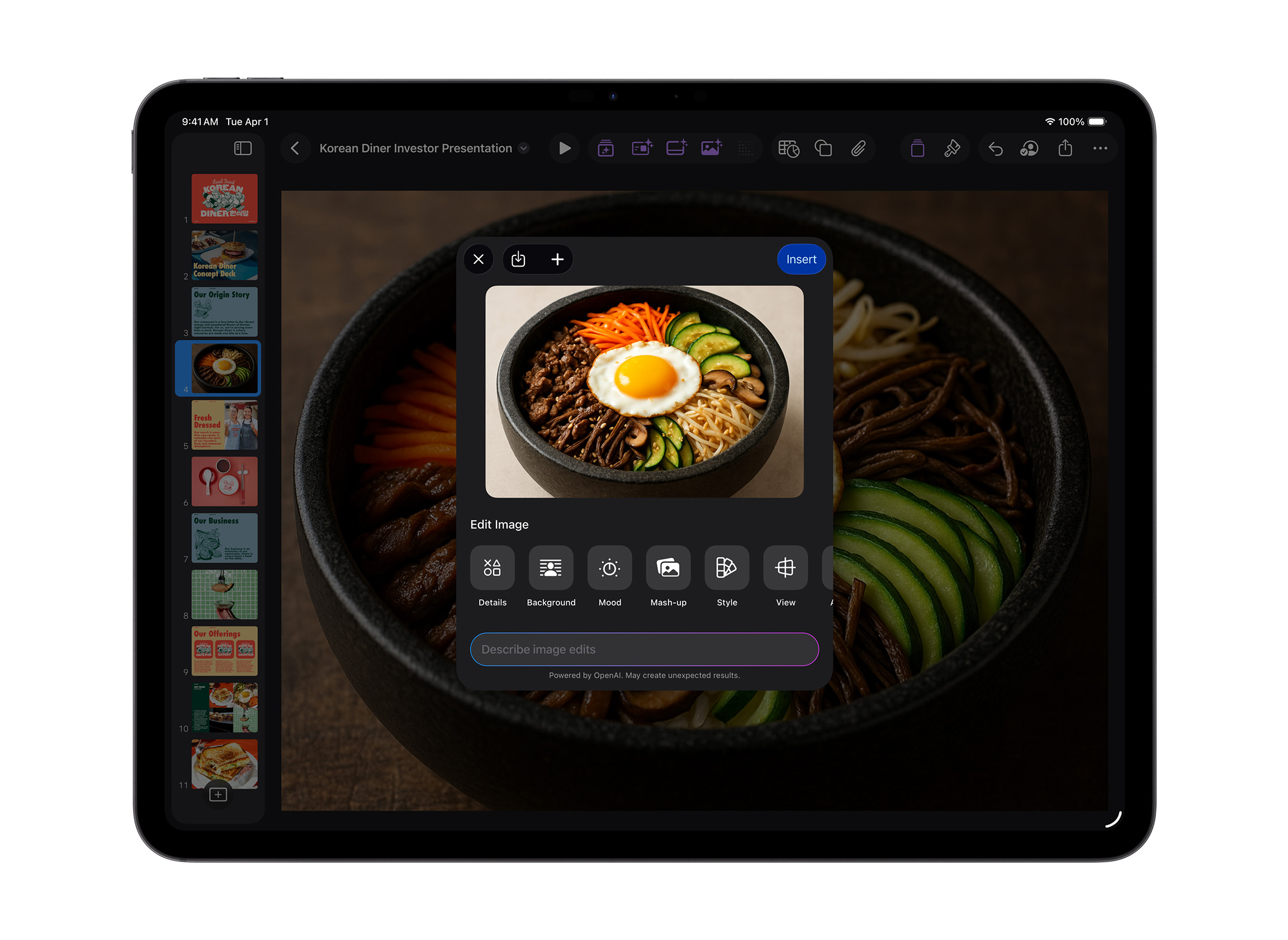

Apple has unveiled Apple Creator Studio, a new subscription bundle that brings together a wide range of its most powerful creative apps into a single suite aimed at creators across video, music, imaging, and visual productivity. The company positions the offering as a way to put studio-grade tools into the hands of more people, building on the central role Mac, iPad, and iPhone already play for millions of creators worldwide.
Apple Creator Studio combines apps for video editing, music production, creative imaging, and productivity, with the goal of letting creators focus on shaping and refining their work while realizing their artistic vision. The suite layers new intelligent features and premium content onto familiar tools, including Final Cut Pro, Logic Pro, Pixelmator Pro, Keynote, Pages, Numbers, and, later, Freeform. Apple says the result is a cohesive subscription designed to empower creators across disciplines while maintaining a strong emphasis on privacy.
Final Cut Pro receives significant updates on both Mac and iPad, introducing new editing tools and intelligent features designed to streamline even the most demanding workflows. Pixelmator Pro is also expanding for the first time to iPad, with a version built specifically for touch and Apple Pencil. Logic Pro on Mac and iPad adds new intelligent music creation tools such as Synth Player and Chord ID, while Keynote, Pages, Numbers, and Freeform gain premium content and intelligent features aimed at boosting expressiveness and productivity across Apple devices.
Apple Creator Studio will be available on the App Store beginning Wednesday, January 28, priced at $12.99 per month or $129 per year, with a one-month free trial. The subscription includes access to Final Cut Pro, Logic Pro, and Pixelmator Pro on Mac and iPad; Motion, Compressor, and MainStage on Mac; and intelligent features and premium content for Keynote, Pages, Numbers, and later Freeform on iPhone, iPad, and Mac. Apple is also offering a discounted plan for college students and educators at $2.99 per month or $29.99 per year. Users who prefer ownership can continue to purchase the Mac versions of Final Cut Pro, Pixelmator Pro, Logic Pro, Motion, Compressor, and MainStage individually as one-time purchases through the Mac App Store.
According to Eddy Cue, Apple’s senior vice president of Internet Software and Services, the new bundle is designed to make Apple’s creative tools more accessible and flexible than ever. He said Apple Creator Studio enables creators of all kinds to pursue their craft and develop their skills by offering easy access to powerful and intuitive apps for video, music, imaging, and productivity, all enhanced with advanced intelligent features that help speed up and simplify workflows.
On the video side, Final Cut Pro for Mac and iPad focuses on making editing faster, smarter, and more intuitive. Both one-time-purchase users and Apple Creator Studio subscribers benefit from performance optimized for Apple silicon, along with new on-device intelligent features designed to keep creators in a creative flow. Transcript Search allows users to locate specific soundbites in hours of footage by typing phrases into a search bar, returning exact or related matches. This makes assembling interviews and video podcasts far faster, reducing the need to manually scrub through clips. Visual Search adds another layer of intelligence, letting editors search for objects or actions within their footage and instantly locate the corresponding moments on the timeline.
Final Cut Pro also introduces Beat Detection, a feature that visually maps musical beats, bars, and song sections directly in the timeline. Using an AI model derived from Logic Pro, Beat Detection analyzes music tracks and generates a Beat Grid, making it easier to cut fast-paced videos precisely to the rhythm of a song. Re-editing music to fit different lengths is also streamlined.
On iPad, a new Montage Maker feature helps users jump-start edits in seconds. Powered by AI, Montage Maker automatically analyzes footage and assembles a dynamic edit based on the strongest visual moments. Users can then adjust pacing, sync the edit to music, and automatically reframe horizontal footage into vertical formats using Auto Crop, simplifying publishing to social platforms.
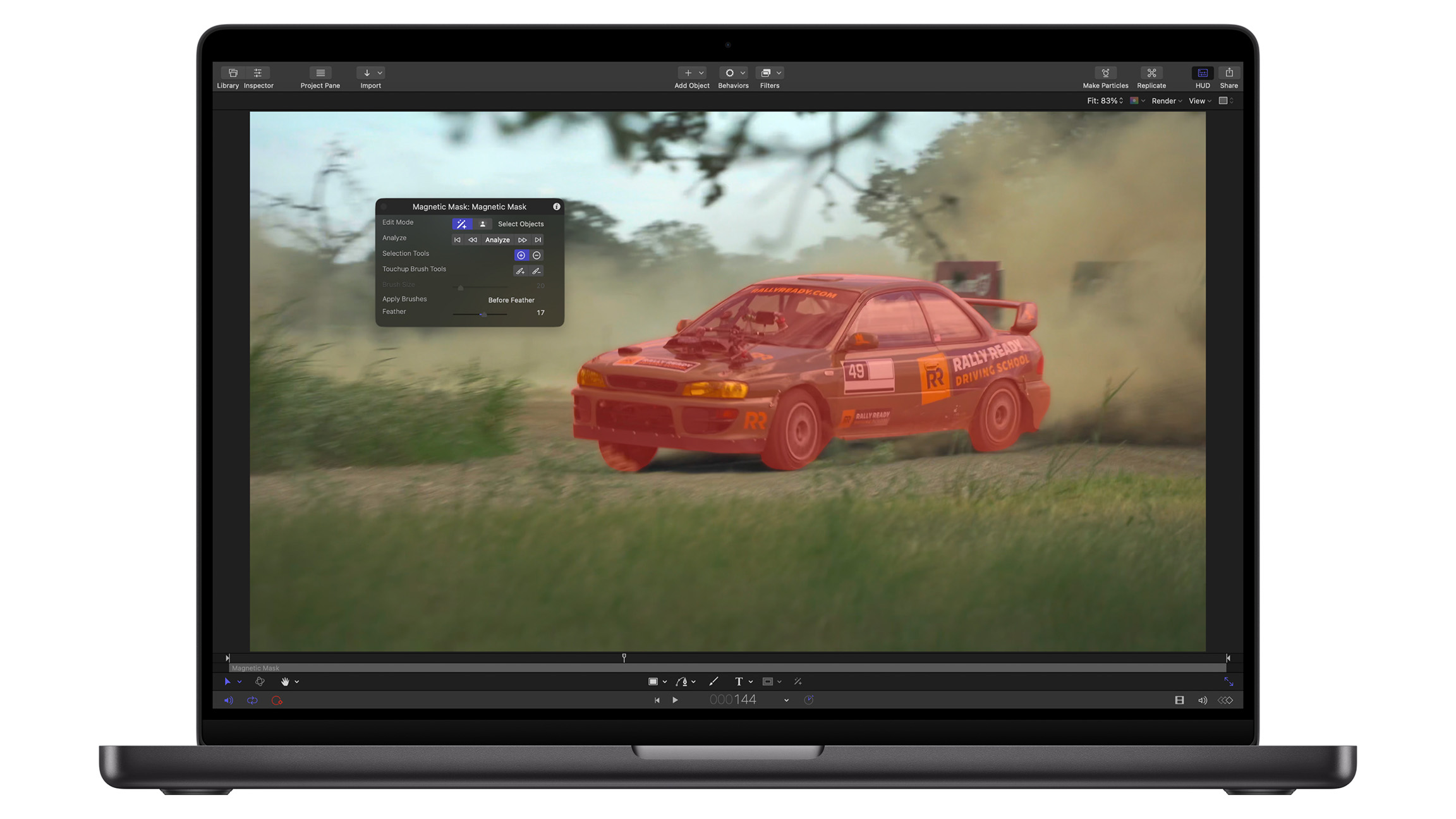
Apple Creator Studio also includes Motion, Apple’s motion graphics tool for creating cinematic 2D and 3D effects. Motion adds intelligent features such as Magnetic Mask, which can isolate and track people or objects without requiring a green screen. Compressor is included as well, integrating with Final Cut Pro and Motion to give creators granular control over export and distribution settings.
Logic Pro on Mac and iPad gains a new lineup of features aimed at musicians and creators producing original music for video and other projects. Among the most notable additions is Synth Player, which joins Logic Pro’s AI Session Player lineup. Synth Player generates realistic electronic performances, offering a variety of chordal and synth bass parts driven by AI and Logic Pro’s advanced software instrument technology. Developed by Apple’s own sound designers, the tool allows creators to guide performances using controls for complexity and intensity, while more advanced parameters unlock deeper customization. Synth Player can also work with third-party Audio Units or even control external hardware synthesizers.
Another major addition is Chord ID, which uses AI to analyze audio or MIDI recordings and automatically generate a usable chord progression. By eliminating manual transcription, Chord ID speeds up the process of turning rough ideas into structured compositions. The feature can analyze complex harmonic material and populate Logic Pro’s chord track, which in turn drives AI Session Players. This makes it easy to experiment with different styles, players, and genres until the desired sound emerges.
Logic Pro for Mac also introduces an expanded Sound Library with Apple-designed packs and Producer Packs, offering hundreds of royalty-free loops, samples, instrument patches, and drum sounds. Logic Pro for iPad gains access to Quick Swipe Comping, a long-standing feature on Mac that helps vocalists and producers assemble seamless performances. Music Understanding features on iPad add natural-language search to the Sound Browser, allowing users to describe what they are looking for or find similar loops without relying on tags or filters. AI-driven analysis of Logic Pro’s extensive loop library enables searching by text or by example, making it easier to find complementary sounds.
Apple Creator Studio also unlocks access to MainStage, which turns a Mac into a live performance instrument, voice processor, or guitar rig. This allows musicians to bring the same sounds they use in the studio directly to the stage, with fast setup and reliable performance.
In creative imaging, Pixelmator Pro expands beyond the Mac for the first time with a new iPad version included in Apple Creator Studio. The app brings a professional yet approachable editing experience to iPad, with a workspace designed specifically for touch and full Apple Pencil support. Pixelmator Pro for iPad supports working seamlessly between iPad and Mac and delivers the same powerful editing tools users expect, rebuilt from the ground up for the latest iPadOS and optimized for Apple silicon.
Touch-first controls make it easier to create desktop-class designs on the go. A full Layers sidebar supports images, shapes, text, and even video, while smart selection tools help isolate and edit specific parts of an image. Advanced bitmap and vector masks allow precise control over visibility. Deep integration across hardware, software, and Apple silicon enables features such as Super Resolution for intelligent upscaling, Deband for removing compression artifacts, and Auto Crop for automatic composition suggestions. With Apple Pencil, artists can paint using pressure-sensitive brushes, with added precision from features like hover, squeeze, and double-tap. Subscribers also gain access to a new Warp tool on both Mac and iPad, along with a collection of Warp-powered product mockups.
On the productivity side, Apple Creator Studio builds on more than two decades of development across Keynote, Pages, and Numbers, as well as Freeform’s collaborative canvas. The subscription introduces new intelligent features and premium content designed to help creators take projects further. A new Content Hub offers curated photos, graphics, and illustrations, while premium templates and themes expand customization options in Keynote, Pages, and Numbers.

Advanced image creation and editing tools allow users to generate images from text prompts or transform existing images using generative models from OpenAI. On-device AI powers features such as Super Resolution and Auto Crop, helping users create sharper images and more compelling compositions. In Keynote, subscribers gain access to beta features that can generate an initial presentation draft from a text outline, create presenter notes from existing slides, and automatically clean up layouts. Numbers adds intelligent tools for generating formulas and filling tables through pattern recognition with Magic Fill.
Keynote, Pages, Numbers, and Freeform remain free for all users to create, edit, and collaborate. Apple says these apps will continue to receive updates, including adoption of the new Liquid Glass visual design language across platforms and support for updated windowing and menu bar improvements in iPadOS 26.