



Artificial intelligence is getting better at doing things. The harder challenge has always been getting it to do things without you watching. Anthropic’s Claude Cowork takes a direct swing at that problem, and its most interesting feature has nothing to do with sitting at a desk.
Cowork is Anthropic’s desktop tool for non-developers who want Claude to operate as a genuine autonomous agent, reading, editing, and creating files on their computer without requiring a line of code or a terminal window. But the feature quietly reframing what that means is the ability to assign tasks from your phone and let your desktop do the work while you are nowhere near it. This is not a chatbot. It is closer to a background worker you can brief on the go and check in on when it suits you.
What Claude Cowork Actually Is
To understand why Cowork matters, it helps to understand what it is not. Most AI tools are reactive. You type, they respond. The conversation moves forward only when you push it. Cowork is designed around a different model entirely, one where you hand off a task, Claude makes a plan, and work happens independently until the job is done or a decision point requires your input.
The setup starts in the Claude Desktop app, which is available on macOS for Pro, Team, and Enterprise subscribers. You designate a specific folder on your computer as Claude’s working space. Inside that boundary, Claude can read files, create new ones, edit existing content, and organize information based on your instructions. The folder acts as both a sandbox and a workspace, giving Claude enough access to be genuinely useful while keeping everything contained to a defined area you control.
Once that foundation is in place, you interact with Cowork through the same chat interface you already know. You describe what you want done, Claude breaks it into steps, and it works through them sequentially while keeping you updated on progress. The experience is less like a conversation and more like briefing a capable colleague, then stepping away to let them work.
Assigning Tasks From Your Phone
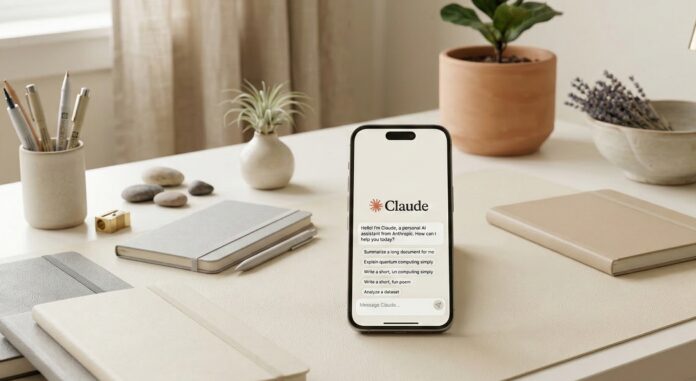
Here is where Cowork becomes something genuinely new. For Pro and Max subscribers, the mobile integration means you do not have to be at your computer to put Claude to work. You open the Claude app on your phone, describe a task, and Claude picks it up on your desktop, executes it using your local files and any connected tools, and delivers results back to the same conversation thread on your phone.
The desktop app needs to be running in the background for this to work, which means leaving your computer on and logged in. But beyond that, the workflow is remarkably hands off. You could queue a task before a meeting, check the results afterward, and never once open your laptop. For anyone who spends significant time away from their desk but still needs output produced, that is a meaningful shift in how AI fits into a working day.
The async nature of this is what makes it feel different from everything else in this space. AI tools have largely demanded your presence and attention. Cowork is designed to operate in the background of your life, which is where the most useful tools tend to live.
What You Can Use It For
The practical range of Cowork is already wide, and it expands as you learn what kinds of instructions Claude responds to best. Here are some of the use cases that illustrate its current capabilities.
Data extraction and organization is one of the strongest early applications. If you have a folder of receipts, invoices, or scanned documents, you can instruct Claude to pull structured information from each one and compile it into a spreadsheet. Claude reads the files, identifies the relevant data, and builds the output without you manually touching a single document.
File and folder organization is another area where Cowork saves real time. Rather than manually sorting downloads, project files, or research notes, you can describe the logic you want applied, whether that is by date, topic, file type, or content, and Claude reorganizes the directory accordingly. This works especially well for people who accumulate large numbers of files and periodically need to bring order to the chaos.
Research synthesis is perhaps the most compelling use case for knowledge workers. If you have gathered a collection of articles, PDFs, or notes on a topic, Cowork can read through them, identify key themes, and produce a summary or structured report. The quality of the output depends on how clearly you frame the goal, but even a rough instruction tends to produce something useful as a starting point.
Beyond file work, Cowork connects to browser automation through the Claude in Chrome extension. This extends its reach into web-based tasks, including pulling information from pages, filling out forms, or navigating workflows that would otherwise require manual clicking. This side of Cowork is still developing, but it points toward a future where the tool handles a much wider slice of routine computer work.
Claude Cowork vs. Remote Control: Understanding the Difference
Anthropic has also released a related but distinct feature called Remote Control, and it is worth understanding how the two differ because they serve very different users.
Remote Control is built into Claude Code, Anthropic’s tool for developers and engineers. It allows a developer to initiate a complex coding task in their terminal and then manage that session from an iPhone or Android device. If you are running a long build process or an AI agent working through a large codebase, Remote Control lets you monitor and redirect that work from your phone without being physically present at your workstation.
Cowork is built for everyone else. It does not require knowledge of terminals, APIs, or code of any kind. The entire experience lives inside a chat interface that anyone familiar with messaging apps can navigate immediately. The underlying technology is sophisticated, but the surface is intentionally simple.
Both features represent the same broader shift, which is AI that works around your schedule and location rather than demanding your constant presence. They just serve that goal for two very different kinds of users.
How to Get Started
If you are on a Pro, Team, or Enterprise plan, Cowork is available now through Claude Desktop on macOS. The first step is downloading or updating the desktop app and identifying a folder you want Claude to work within. Starting with a dedicated test folder rather than an existing project directory is a sensible approach while you learn how the tool behaves.
From there, try a task that has a clear, verifiable output. Ask Claude to organize a folder of mixed files into subfolders by type, or to extract key information from a set of documents and compile it into a single summary. Tasks with defined inputs and expected outputs are easier to evaluate and give you a reliable sense of what Claude can and cannot handle before you hand it something more important.
One practical consideration worth taking seriously is that Claude can take destructive actions if instructed to, including deleting files. That is not a flaw so much as a consequence of giving an agent real access to real files. Anthropic recommends understanding the tool’s behavior before expanding its permissions. Start narrow, build trust, and extend access as your confidence in the workflow grows.
The Bigger Picture
The ability to delegate to an AI from a phone and check back later is not a minor convenience update. It reflects a fundamental rethinking of where AI fits in the rhythm of a working day. The async, mobile-first model has defined the best productivity and communication tools for years. Group chats, project management apps, shared documents — all of them work because they do not require everyone to be present at the same moment. AI agents are only now catching up to that standard.
Cowork is Anthropic’s clearest statement yet that Claude is not just a smarter search engine or a writing assistant. It is being positioned as something closer to a capable colleague who can be briefed quickly, trusted with real work, and checked in on as needed. For early adopters willing to experiment with that model and build it into an actual workflow, this is one of the more genuinely useful AI tools available right now. The payoff is not in any single task. It is in the cumulative time and attention reclaimed when the background work takes care of itself.
Discover more from SNAP TASTE
Subscribe to get the latest posts sent to your email.